
Bloxwap has two kinds of signals. Trend highlights markets that have just moved. Swing brings together a direction, leverage, and price levels for a trade setup. Understanding what each signal tells you helps you decide what to look at and whether to act.
Trend: see what just moved
Trend describes recent market activity. Its directional marks look for a large, efficient 15-minute move while volatility is expanding. An efficient move makes progress in one direction with less back-and-forth along the way.
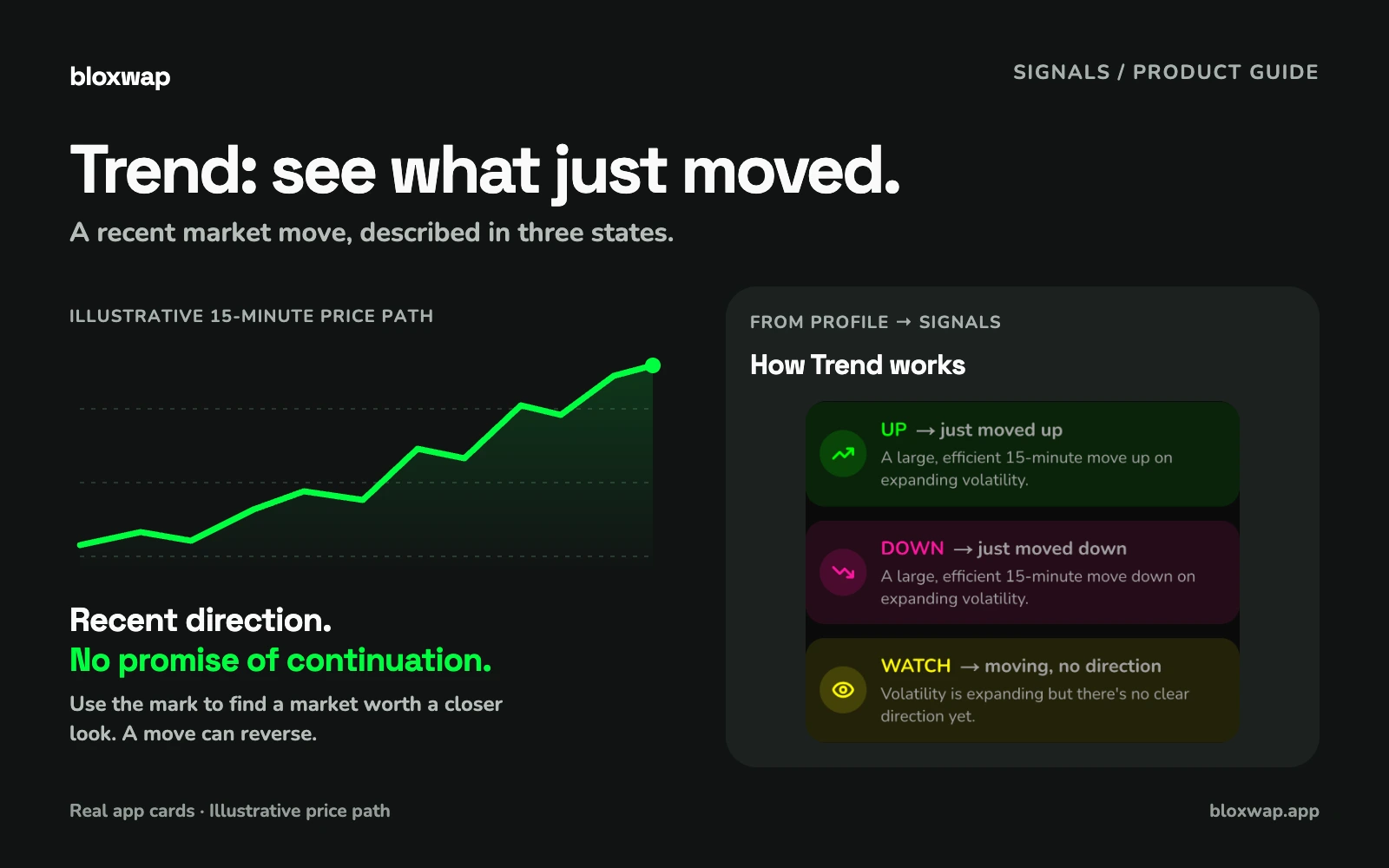
The three Trend states, shown with real app explanation cards. The drawn price path is illustrative.
View full-size image.
The three states have different meanings:
- UP: a large, efficient move up on expanding volatility.
- DOWN: a large, efficient move down on expanding volatility.
- WATCH: volatility is expanding, but there is no clear direction yet.
Open Markets → Trend to look for markets with these marks. You can also enable the Live Activity Feed in Profile → Signals for a rolling feed of signal fires.
A Trend mark describes a move that has already happened. It does not predict that the move will continue. An UP mark can be followed by a pullback; a DOWN mark can be followed by a rebound. Use the mark to find something worth inspecting, then look at the chart and your trade controls before making a decision. WATCH gives you activity to investigate without choosing a side.
Swing: read the whole setup
A Swing signal includes the market, LONG or SHORT direction, leverage, confidence, and three price levels: entry, stop-loss, and take-profit. LONG benefits from a rise in price; SHORT benefits from a fall.
The in-app alert puts the market, leverage, direction, and confidence bars in a compact card. Confidence runs from 1 to 5 bars, from lowest to highest. A four-bar reading displays the signal's confidence score; it does not mean an 80% chance of profit.
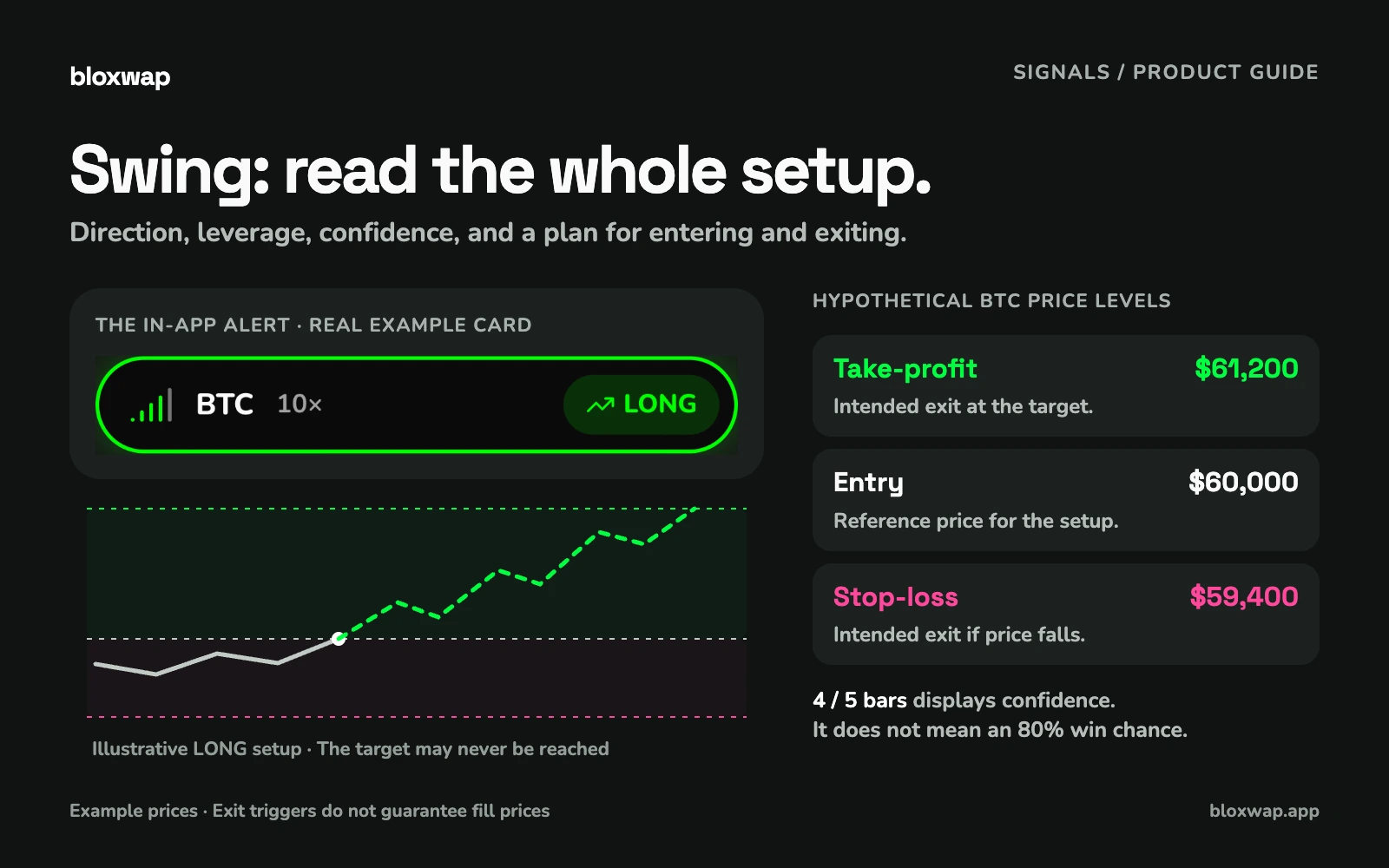
A real Swing example card paired with hypothetical BTC price levels. These prices are an illustration, not a live signal.
View full-size image.
For the illustrated LONG setup, the levels mean:
| Level | Example price | What it tells you |
|---|---|---|
| Entry | $60,000 | The reference price for entering the setup. |
| Stop-loss | $59,400 | The intended exit if price moves against the position. |
| Take-profit | $61,200 | The intended exit if price reaches the target. |
For a SHORT setup, the stop is above entry and the target is below it. Entry is a reference level, and the actual fill can differ. Stop-loss and take-profit prices are triggers, not guaranteed execution prices. See Hyperliquid's explanation of TP/SL orders for how those exits execute.
Turn on Swing and understand the Open action
Swing is a Genesis feature. Sign in with an eligible wallet, open Profile → Signals, and enable Swing. For device alerts, enable push notifications and Swing notifications under Settings → Notifications. Device support and setup vary; the notifications guide walks through the requirements.
A Swing push notification includes the entry, stop, and target. On devices that support notification actions, it offers Open and Dismiss.
Open is a trade action. It can submit a live position using the signal's direction, leverage, and exit levels, together with your currently selected trade amount. Opening a Swing push can switch the app from Demo to Live. Check your amount and wallet before using it. Dismiss closes the notification without opening a trade.
The app checks the signal's expiry, the current price against its permitted entry range, and whether your wallet is ready. An expired setup or a price that has already crossed an exit can prevent the trade from opening. After opening, check your position to confirm the fill and attached exits.
Keep the risk in view
Neither signal guarantees a profitable trade. Leverage magnifies losses as well as gains, and fees, funding, and liquidation risk still apply. A stop-loss helps define an exit plan, but cannot guarantee a maximum loss.
Open Bloxwap to explore Signals in your profile. If you're new to the controls, start with the trading screen tour, review the fees, and learn how to set a stop-loss.